透過 Windows 檔案總管和 macOS Finder 使用 Imatest 開啟
從 25.1 版本開始,Imatest Master 現在支援使用右鍵選單直接從Windows 檔案總管和macOS Finder開啟檔案。 (Ubuntu Linux 支援將在未來的版本中加入)。
Windows 檔案總管
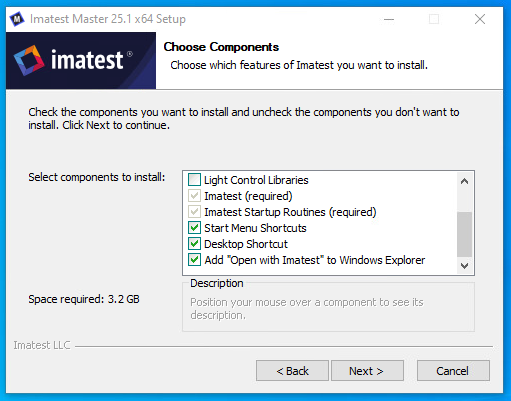
要啟用“使用 Imatest 開啟”,首先需要在安裝 Imatest 25.1 或更高版本時包含該選項(預設將啟用)。
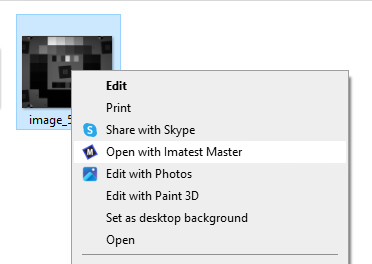
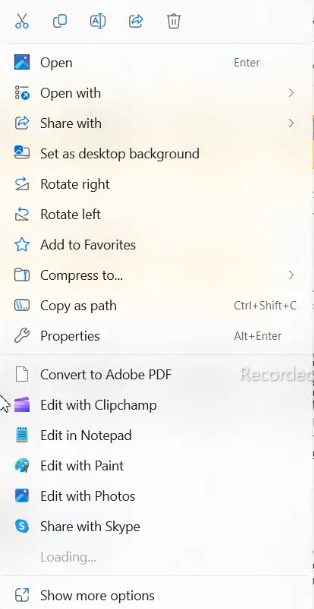
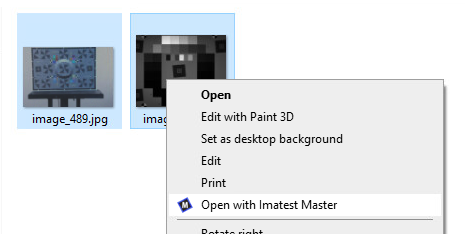
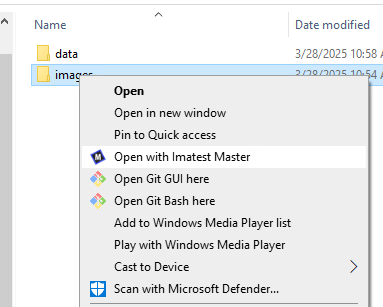
安裝完成後,您現在可以在文件資源管理器中右鍵單擊任何文件,就會看到新增的「使用 Imatest Master 開啟」選項(如果您使用的是 Windows 11,可能需要先點擊「顯示其他選項」)。點擊該選項,選定的映像將在 Imatest Master 主視窗中開啟。如果 Imatest Master 尚未啟動,它將自動啟動並選取該檔案。
將 Imatest Master 設定為映像檔的預設應用程式
現在您也可以將 Imatest Master 設定為 Windows 上任何檔案副檔名的預設應用程式。
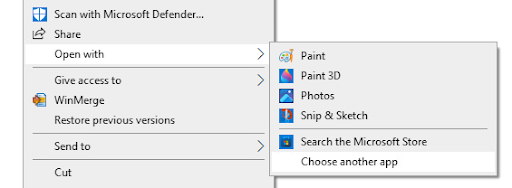
在檔案總管中,以滑鼠右鍵按一下要設定預設開啟方式的檔案類型,然後在「開啟方式」下選擇「選擇其他應用程式」:
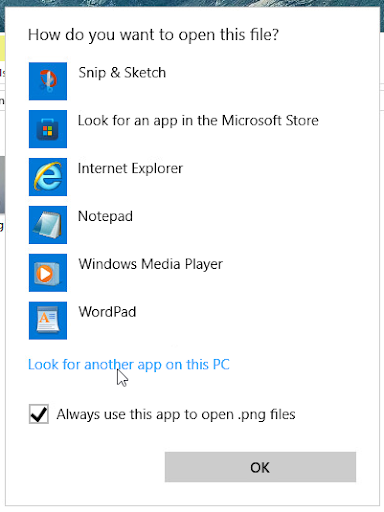
在“您希望如何開啟此文件?”對話方塊中,請確保選取“始終使用此應用程式開啟[副檔名]文件”,然後按一下“更多應用程式”。如果「Imatest Master 25.1」已在清單中,請選擇它並按一下「確定」。否則,請向下捲動並按一下「在此電腦上尋找其他應用程式」。
透過「開啟方式...」對話方塊導覽至 Imatest Master 安裝資料夾(預設為「C:\Program Files\Imatest\v25.1\Master」),開啟「bin」資料夾,選擇「Imatest Master 25.1.exe」文件,然後按一下「開啟」:
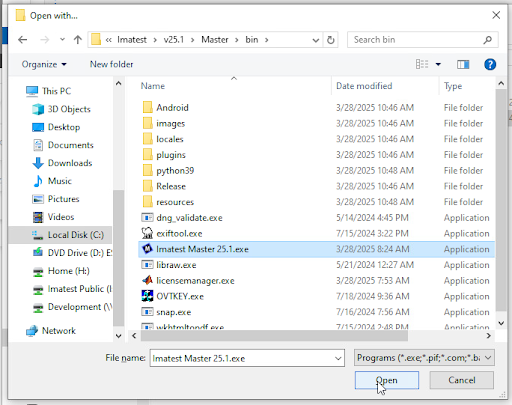
現在,打開任何具有此擴展名的文件時,Imatest Master 將被識別為預設應用程序,這意味著您可以在 Windows 資源管理器中雙擊該文件,它將自動加載到 Imatest Master 中。
MacOS Finder
「使用 Imatest Master 開啟」功能會在每次安裝時自動啟用,因此在安裝過程中無需進行任何選擇。
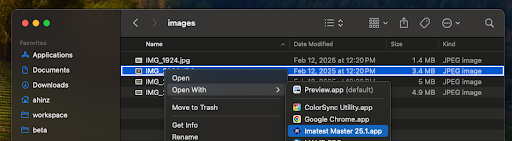
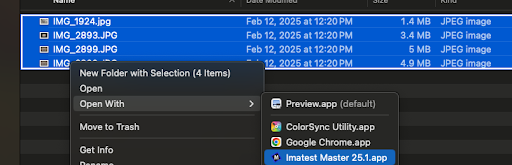
安裝 Imatest Master 後,您可以右鍵單擊支援副檔名的映像檔(請參閱下方列表),然後從「開啟方式」功能表中選擇「Imatest Master 25.1」。如果 Imatest Master 尚未啟動,它將自動啟動並選取該檔案。
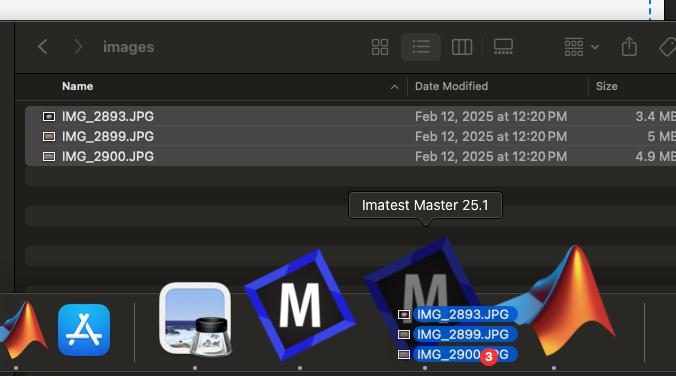
在 macOS 上,您也可以將檔案拖曳到 Dock 欄上的 Imatest Master 圖示上,它們將在已執行的 Imatest Master 實例中開啟:
macOS 支援的檔案副檔名
MacOS 上的「使用 Imatest Master 開啟」功能僅適用於具有以下副檔名的檔案:
3fr、3g2、3gp、arw、avi、bay、bmp、bmq、cine、cr2、crw、cs1、cur、dc2、dcr、dng、dpx、dv、erf、exr、fff、cr2、hdf4、hdr、ia、ico、jp2、jpeg、jpg、jpx2、25 、m2v、m4v、mdc、mef、mj2、mos、mov、mp4、mpg、mrw、mts、nef、nrw、orf、pbm、pcx、pef、pgm、png、ppm、pxn、qtk、raf、Eras、raw、rdc、rgm、png、ppm、pxn、qtk、raf、rfore、rdc、rw2、pti TIFF、X3F、XWD、YUV
如果您希望添加某個特定的擴充程序,請聯絡我們,我們將很樂意為您添加!