Issue
Even with “Close figures after save” selected, the figures still pop-up and steal focus briefly, which can be annoying for users running large batches.
Solution
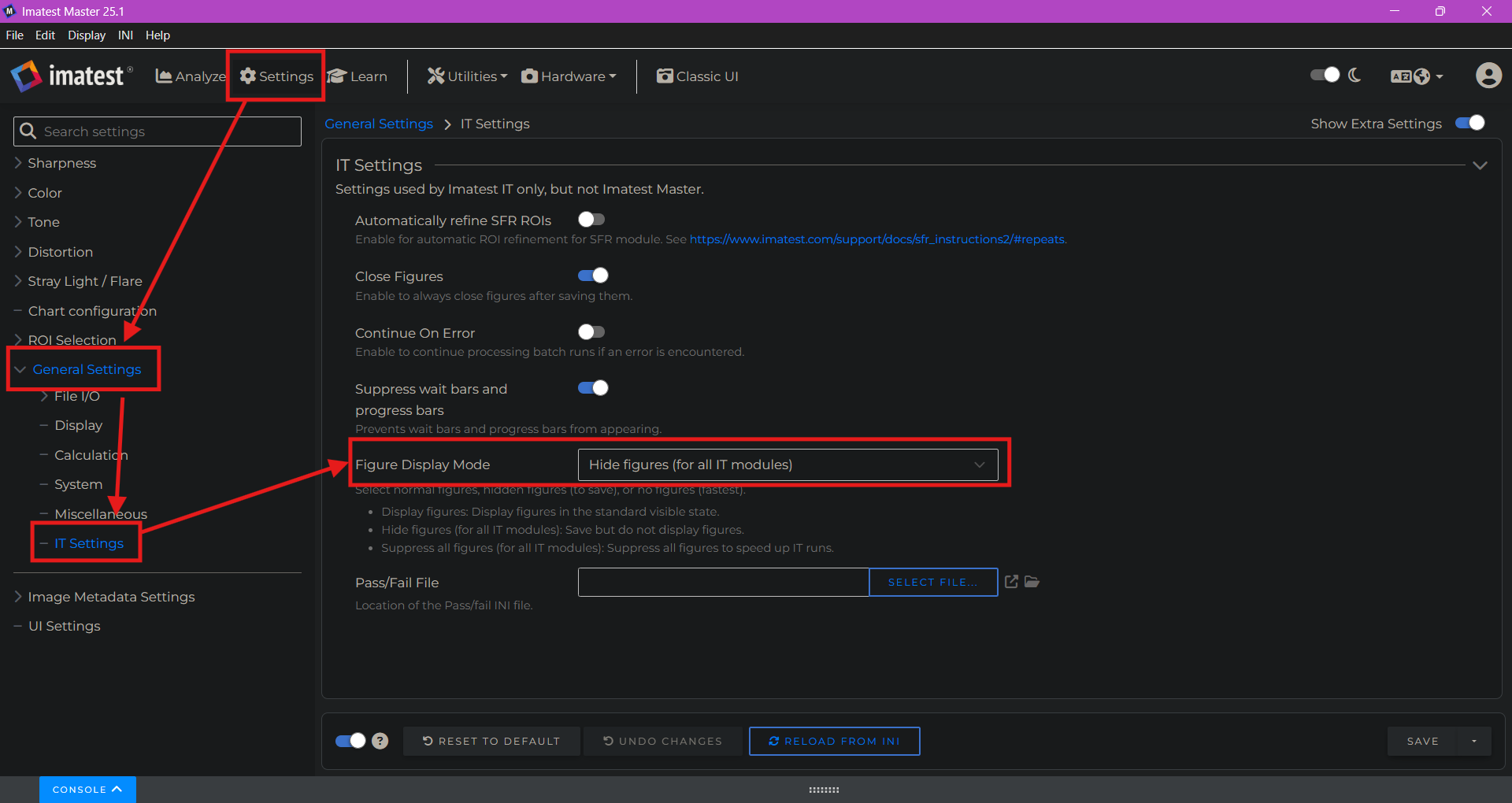
Go to the Settings page in the Imatest Main Window
Select “General Settings” in the left column
Select “IT Settings”
In the settings that open, use the dropdown highlighted below to “Hide figures (for all IT modules)”
This should still allow the user to save the figures without the annoying pop-ups!
Additional Notes:
If you want to completely disable figure generation (i.e. you do not want to save any figures to file), you should select “Suppress all figures” for this setting instead of “Hide figures”. This should help speed up analysis runs.
Although many of these steps specify “IT”, they also affect the behavior for Auto mode in Master and block the pop-ups there as well.
This setting does not apply to Stray Light or Concentric Ring modules.