ドキュメント - 最新版 v26.1

目次索引
画質 
Imatestによって測定されるIQ因子(KPI)。詳細な説明と手順へのリンク付き。
シャープネスシャープネスとシャープニングの概要、さまざまなチャートの比較、チャート品質の限界とその克服方法
その他のIQ要因 ノイズ、SNR、時間ノイズ、ダイナミックレンジ(DR)、色収差、歪み、ベールグレア、シャノン情報容量、画像情報指標など。
はじめるImatestを選ぶ理由、テストチャート、照明、画像キャプチャ技術、ラボのセットアップ、Imatestソフトウェアの使用方法
Imatestソフトウェアの使用を開始するインストール、Imatestの使用方法、イメージファイル形式とデバイス、アクティベーション/非アクティベーション
一般的な指示特殊規格、対応デバイス、テストマネージャー、生ファイル、テストラボ、INIファイル、合否モニター
出力ドキュメント選択されたJSON、CSV、XML出力の説明
画像を取得する画像取得のためのファイル、フォーマット、デバイス、およびユーティリティ
ナレッジベースのハイライトトラブルシューティング、アクティベーション、および操作に関する一般的なアドバイスを提供する記事へのリンク集。
トラブルシューティングImatestが期待どおりに動作しない場合の対処法
Simatest カメラ/ISP シミュレーター Simatest – 画像信号処理 / カメラシミュレーター – 例 – イメージセンサーノイズ
IQユーティリティーズSSIM、画像統計、放射状ジオメトリ
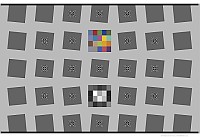
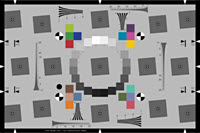
斜めエッジのシャープネスモジュールSFR (手動ROI)、 SFRplus 、 eSFR ISO 、 SFRreg 、 Checkerboard (自動ROI検出)
ここでは、 4つの自動検出斜めエッジシャープネスモジュールを比較します。
その他のシャープネスモジュールLog Fコントラスト、スター、ランダム/枯葉/こぼれたコイン、ウェッジ、シャープネスユーティリティおよびポストプロセッサー
シャープネスユーティリティとポストプロセッサーMTF比較、画像安定化、バッチビュー、ShGarpestファイルの検索
トーン、カラー、ノイズ、ダイナミックレンジモジュールカラー/トーン(インタラクティブ&自動)、CCM(カラー補正マトリックス)、CDP、コントラスト解像度、カラーチェック、ステップチャート、パッチ測定、ICCカラープロファイルと色域マッピングを評価するためのGamutvision 。
空間および平面フィールドモジュールフラットフィールド、フラットフィールドインタラクティブ、歪み、ドットパターン、テストディスプレイ
その他のモジュールとユーティリティ照明制御、任意チャート、デバイスマネージャー、自動ホワイトバランス/露出/フォーカス(AWB、AE、AF)、テストチャートの印刷と表示、ファイル名の変更、教育アプリ、データベース
工業用テスト版モジュール、各種インターフェース(EXE、C、C++、Python、.NET)の手順、INIファイル参照、合否判定、オペレーターコンソール、スピードアップ
付録FAQ、バージョン、トラブルシューティング、変更履歴、INIファイル参照、ライセンス

画質

概要 — 画像品質要因(主要業績評価指標 – KPI)の概要

画像品質の要素– 概要とImatest測定結果。まずはここから始めることをお勧めします。

はじめに-要約表-画像品質要因-シャープネス-テクスチャ-ノイズ-情報容量と指標-トーンレスポンス-ダイナミックレンジ-色精度-歪み-均一性-傷-露出精度/ISO感度-横色収差-迷光(フレア) -ベールグレア-カラーモアレ-ソフトウェアアーティファクト-データ圧縮- プリンター品質要因

シャープネス
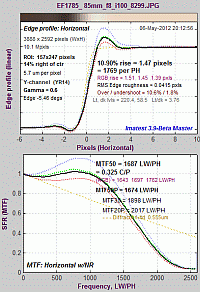
シャープネス とは何か?そして、どのように測定するのか?
シャープネスとは何か?そして、どのように測定するのか?

はじめに- MTF - MTF方程式-空間周波数単位-要約指標-MTF測定マトリックス - 測定手法の比較 -スラントエッジ測定-スラントエッジを使用する理由-クリッピング-ノイズ低減-MTF50の解釈-オートフォーカス(AF)速度-計算の詳細-スラントエッジアルゴリズム-ImatestとISOの計算-リンク

シャープニング -カメラ比較のための標準化されたシャープニング

はじめに-例-過剰シャープニング/アンダーシャープニング-例-アンシャープマスキング (USM) -リンク- 標準化されたシャープニング

異なるカメラの鮮明度を比較する場合 、アプリケーションが「画像中心」(絵画画像用)か「物体中心」(医療、マシンビジョンなど用)かによって、画像の比較方法が大きく左右されます。

Imatestの傾斜エッジ計算の検証

斜めエッジ方式とシーメンススター方式の比較 - 信号処理に対する感度の比較

はじめに-画像-生データの結果-斜めエッジ処理の結果-正弦波処理(Log Fコントラストとシーメンススター)の結果-極端なシャープ化-まとめ-結論

斜めエッジ方式とシーメンススター方式の比較、パート2-追加4台のカメラの結果

傾斜エッジ方式とシーメンススター方式のMTF計算:2024年ホワイトペーパー

斜めエッジ測定の一貫性と再現性 ―異なるISO感度とROIサイズを比較。不完全ではあるが、それでも有用。

ナイキスト周波数、エイリアシング、およびカラーモアレ -ウェッジから導出されたカラーエイリアシング指標の紹介。

回折、最適絞り、およびデフォーカス-レンズ収差-回折-ピクセル応答限界とQ値-デフォーカス 

表示(モニター)シャープネス- チャートの表示-画像のキャプチャ-分析-結果- TVライン-モニターガンマ- CMSシステム

カメラモニターシステム(CMS) –自動車用ミラー交換システムおよび一部の内視鏡向け

斜めエッジMTF測定におけるLSF(線幅拡散関数)補正係数

傾斜エッジMTF測定における、エッジに垂直な方向の不均一性に対する照明の不均一性の補正

チャートとセンサーMTFの補正用カメラMTF測定値

はじめに-計算- MTF補正ファイル-補正の適用-レンズMTF測定のためのセンサーMTF補正- MTF測定チャート

チャート品質計算ツール - 特定のメディアと印刷方法におけるMTF測定値に基づいて、チャートが特定の用途に適しているかどうかを判定します。習得にはやや複雑な点があります。下記の「チャート適合性テスト」のご利用をお勧めします。
MTF測定におけるテストチャートの適合性 - インクジェットおよび写真用、反射型および透過型など、複数のメディアタイプにおけるMTF測定の適合性を判定するためのチャート。チャート品質計算ツールの結果に基づいています。
暗黙のシャープネス仮定(回折) -チャート適合性表示-インクジェットマット紙-白黒写真用紙-カラーLVT |白黒LVT - MTF適合性計算 
反射チャートの品質比較:インクジェット方式 vs. 写真方式
透過チャートの品質比較
MTF曲線と画像外観-測定値と外観の相関関係
はじめに-斜めエッジテスト-参照画像-シャープ化画像-ぼかし画像-シャープ化+ぼかし画像-観察結果-シャープネスランキング-リンク
鮮明度とSQF(主観的品質係数) :知覚的な鮮明度の測定
はじめに-鮮鋭度とMTF -鮮鋭度とSQFの意味-鮮鋭度とSQFの測定- SQFの式- CSF -リンク
 

その他の画質要因

ガンマ、音圧応答、および関連概念―なぜ使用されるのか、どのように測定するのか、その他多数
はじめに– エンコーディングとディスプレイガンマ– なぜ対数を使うのか? – ガンマエンコーディングでダイナミックレンジが拡大する仕組み– 期待されるガンマ値– ガンマとMTF – ガンマの計算にはどのパッチが使われるのか? – なぜガンマ≅2.2なのか? – トーンマッピング– コントラスト:比率、ウェーバー、 ミケルソン– 対数カラースペース– モニターガンマ
写真画像におけるノイズ 
はじめに-不均一性補正-測定- SNR_BW -外観-まとめ- F値ノイズ、シーン参照SNRおよびダイナミックレンジ-時間ノイズ- ISO 15739 -ノイズの数学-生ノイズとデモザイキングノイズ-スペクトル-リンク
時間的ノイズ - 2画像測定と複数画像測定の比較
ダイナミックレンジ - 一般的な概要と、それを計算するImatestモジュールへのリンク。
センサーとシステムのダイナミックレンジ– フレア、チャート、露出– ダイナミックレンジの定義– 透過率チャート– ライトボックス– ダイナミックレンジの測定方法– 反射の最小化– コントラスト解像度チャート–ヒントと推奨事項– オフセット–フレアの詳細– フレア光– 限られたダイナミックレンジ– F値ノイズとシーン参照SNR
色収差 - (横色収差)別名:色のにじみ
はじめに-測定-デモザイキング-非接線エッジの補正-パープルフリンジ
歪み - 方法とモジュール   歪み計算式-モジュール-テレビの歪みと視野角-結果の比較
3つの光学中心– 鮮明度、明るさ、歪みの中心

迷光

はじめに-出力-例-原因-テストの概要-テスト要因-マスターおよび IT 命令-正規化された迷光命令-設定-計算-正規化方法- 光源マスク法 
ベールのような眩しさ
はじめに-対象-ステップチャート測定-結果- ISO 9358 - ISO 18844 測定(均一性-コントラスト分解能 2 露光法)
色補正マトリックス
はじめに-数学-色調インタラクティブ-彩度-マトリックスの適用
ISO感度および暴露指数
概要–入射光測定–モジュール–方程式–生データファイル–飽和ベース–標準出力–関連文書
情報容量に関するニュース、ビデオ、リンクは、 ソリューション - 画像情報指標のページに掲載されています。

EI2024論文「 傾斜したエッジから得られる画像情報指標」は、新しい指標への優れた入門書です。

2023年から2024年にかけて発表された2つのホワイトペーパーには、エッジSNRiやフィルタ設計など、最新の情報容量測定結果が掲載されています。

『画像情報指標入門』は、画像情報容量と関連する指標について、数式や技術的な詳細を最小限に抑えた、最も簡潔な入門書です。

Imatestにおける画像情報メトリクスは、画像情報容量と関連するメトリクスに関する中級レベルの入門書です。

画像情報指標と応用例:参考資料 (41ページ)には、すべての数式と技術的な詳細が記載されています。これは、より短い文書の参照資料となります。

2020年に導入されたシーメンス・スター法は、処理速度は遅いものの、画像処理によるアーティファクト(デモザイキング、データ圧縮など)の影響を観察するのに適している。
 
情報に基づくダイナミックレンジ-パート1:概要-パート2:InfoDRの使用-パート3:結果
シーメンススターズによるシャノン情報容量(2020年)- 鮮明度とノイズを組み合わせた性能指標
意味-結果-要約
傾斜エッジからの情報容量測定:方程式とアルゴリズム(2023-4)- シャープネスとノイズを組み合わせた性能指標。NPS、NEQ、SNRiなど、あらゆる傾斜エッジから簡単に測定できます。
傾斜エッジからの情報容量測定:手順(2023-4) - 新しい計算に関する手順。

画像品質テストの開始

Imatestを選ぶ理由|テストチャート|照明|画像キャプチャ技術|ラボのセットアップ| Imatestソフトウェアの使用方法 
GitHubにある複数のモジュールのサンプル画像

Imatestソフトウェアの使用を開始する

インストールと開始方法
インストール-購入-登録-オフライン登録-ファイル
Imatest の使い方 - はじめに- 概要と一般的な手順初心者向け。
Imatestのワークフロー–チャートとモジュールの選択– Imatestの実行– Imatestヘルプの検索– Imatestメインウィンドウ–ウィンドウとフォントサイズ– 3つの便利なボタン–生ファイル–その他のコントロールとユーティリティ– EXIF表示– ROIオプション–オプションII – EXIFデータ設定–ドロップダウンメニュー–図– CSVおよびJSON出力–ライセンス–テストを成功させるためのヒント
情報指標に基づく画像品質テスト
画像ファイル形式と取得デバイス- Imatestの多様な画像ソース -画像ファイルが正しく読み込まれない場合の対処法
標準(互換性のある)画像ファイル- YUVなど- RAWファイル-ビデオファイル- Imatest用取得デバイス
Imatest Image Masterでサポートされている画像取得ハードウェア
固定モジュールとインタラクティブモジュール
アクティベーション/非アクティベーション- Imatestをアクティベートし、あるコンピュータから別のコンピュータに移動する
オンライン認証|オフライン認証|オンライン非認証|オフライン非認証|フローティングライセンス|プロキシサーバー
ナレッジベース― アクティベーションに関する問題を解決するのに役立つリンクがいくつか含まれています。

Imatest 取扱説明書 – 一般事項

セッションログ記録-表示およびログファイルのログレベル制御
ターゲット検出設定-デフォルトの検出が失敗した場合に、ターゲットの自動検出をガイドするための設定。
チェッカーボード- SFRreg
Skypeビデオ仕様サポート -手順と提案
IEEE CPIQ(カメラ付き携帯電話の画像品質)対応
SFRと鮮鋭度-色均一性-歪みと色収差-質感
テストラボの構築- テストラボの構築方法
はじめに- ハードウェア- 低コストのテストラボの構築-イーゼル- 光測定-三脚-クランプ- 組み立て- ターゲット- ターゲットとカメラの位置合わせ 
関心領域(ROI)の保存と取得 - 将来の使用のために、ROIを名前付きファイルに保存および取得する方法。
保存された設定 - Imatest-v2.ini および Imatest IT で使用する INI ファイル
imatest-v2.ini - INI ファイル ユーティリティ- INI ファイル エディタ-カスタム アイコンの作成-設定のロック 
合否モニター - 合否結果をリアルタイムで表示および更新します( Imatest ITと併用すると便利です)
概要-セットアップ-ユーティリティ

出力ドキュメント

シャープネスおよび歪みモジュールの組み込み出力ドキュメント
出力ドキュメント(Googleスプレッドシート)
出力ドキュメント(Excelスプレッドシート)
迷光と同心円リングによる結果

画像の取得 - ファイル、フォーマット、デバイス、ユーティリティ

デバイスマネージャー-カメラに接続し、設定を調整し、画像をインタラクティブモジュールに取り込みます。
Imatest Image Masterでサポートされている画像取得ハードウェア
直接画像取得の使用- デバイスから直接画像を取得する
ON Semi Devware クイックスタート(直接画像取得用)
Omnivision Quickstartによる直接画像取得
Androidカメラインターフェースによる直接画像取得
ソニーAYAインターフェースによる直接画像取得
Semi DevWareXインターフェース上で直接画像を取得
テストマネージャー
オートバッチ- 1台のデバイスに対して、複数のテストイメージ(異なるモジュールからのもの)を組み合わせて、自動バッチ実行します。
Imatest機能インターフェース- 一貫した設定でテストを実行するための簡素化されたインターフェース
機能インターフェース-エディター- INIエディターを使用したマージファイルの準備(将来のリリースで非推奨になる可能性があります)
生ファイル- Imatestモジュールは、生ファイルを直接分析することも、デモザイキング処理後に分析することもできます。
はじめに- RAWファイルの使用- Bayer RAWファイルとRCCCファイル- LibRawデモザイキング(商用RAWファイル用) - Bayer周波数単位- DNGファイル- Rawviewユーティリティ- Generalized Read Raw(バイナリRAWファイル用) -デコンパンディング-合成RAW画像の作成
 

ナレッジベースのハイライト - トラブルシューティング、アクティベーション、および操作に関する一般的なアドバイスに関する記事へのリンク。

以前は正常に動作していたモジュールが動作しなくなりました
領域(ROI)の選択を保存および取得する方法
2019年版Imatestライセンス – アクティベーションにはアップデートが必要です
ナレッジベース全体には、このようなリンクが他にも多数掲載されています。
 
トラブルシューティング - Imatestが動作しない場合の対処法
クラッシュの報告 - まずはこちらを行ってください-インストールに関する問題-バージョン 3.6 以降の変更点-インストール後の問題- DLL ファイルの欠落-ランタイムの問題- INI ファイルの破損-モジュールが動作を停止しました-エラー報告-コマンド (DOS) ウィンドウ-診断の実行- パスの競合

Simatest ISP/カメラシミュレーター

Simatest:概要 - Simatestカメラ/画像信号処理(ISP)シミュレータの簡潔な入門ガイド:イメージセンサーノイズと最も一般的なISPブロックが、外観と測定結果にどのように影響するかを示します。2025年2月より開始されるImatestパイロットプログラムでご利用いただけます。
概要– ブロック図– 入力ファイル–Simatestの実行– 設定– 画像処理ブロック–結果– 並列表示– Simatestの利点– 低照度解析– 付録:イメージセンサーノイズモデル
Simatest:手順とリファレンス- Simatest ISP/カメラシミュレーションの完全リファレンス 
入力ファイル– Simatestを開く–設定–画像処理ブロック–シャープ化–イメージセンサーノイズ– Simatestの実行–処理–並列表示–結果–コントロール– OCR –顔と人物の検出
Simatestの使用例- Simatestを使用してイメージセンサーのノイズを測定し、カメラとISPのパフォーマンスをモデル化する例
Simatestのブロック図– イメージセンサーノイズのモデリング– ノイズの測定–ノイズのシミュレーション– 画像鮮明度のモデリングと測定–画像鮮明度のシミュレーション– カメラJPEGのシミュレーション
イメージセンサーノイズ – 測定とモデリング– Simatestのダイナミックレンジとノイズを測定するための生ファイルの使用
画像処理(旧モジュール – Simatestに置き換えられました) – 画像処理操作(劣化と強化)をシミュレートし、外観と測定値への影響を観察 –操作–画像処理ブロック–表示と分析– OCR –顔と人物の検出

画像品質ユーティリティは、あらゆる画像(テストチャートに限らず)を劣化、強化、検査、分析します。

SSIM:構造類似性指標 -圧縮などの信号処理による画質劣化やアーティファクトを測定します。また、PSNRも測定します。
操作-オプション
画像統計 - 画像統計(断面、平均値、ノイズ、SNR、ヒストグラム、周波数スペクトル)を対話的に観察できます。
放射状ジオメトリ - 画像に歪み、横方向の色収差、または回転を追加または補正します。

斜めエッジのシャープネスモジュール

SFR – 傾斜エッジの基本分析(手動ROI選択)
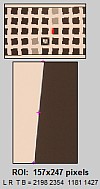
SFRの使用方法 パート1 - SFRターゲットの設置と撮影
斜めエッジテスト-プリントチャート-照明-距離-露出-ヒント-品質と距離
SFRの使用方法 パート2 - Imatest SFRの実行
画像ファイル- ROI -トリミング推奨事項(ROIサイズ) -追加入力-二次読み出し-方程式-ガンマ-警告-保存-繰り返し実行- Excel CSV出力
Imatest SFR LCDターゲット
スクリーンパターンモジュール- Webパターン
SFRの結果:MTF(シャープネス)プロット
SFRの結果: - 色収差、ノイズ、およびシャノン容量のプロット
SFRの結果:複数のROI(関心領域)プロット
2Dサマリープロット- 1Dサマリープロット- CSV出力ファイル-サマリー説明- Excelプロット

SFRの結果:オートフォーカス(AF)プロット


傾斜エッジMTFモジュールの表(自動領域検出機能付き、対話型または自動(バッチ)分析)
すべてISO規格に準拠したMTF(シャープネス)解析、横色収差(LCA) 、および2:1から10:1までのチャートコントラスト比の情報容量をサポートしており、ISO規格の4:1が推奨されています。
特徴SFRplus
eSFR ISO
eSFRiso_enhanced_200W
SFRreg
オプティコス・メリディアン200W
チェッカーボード
チェッカーボード_理想的な額装-200W
シャープネスマップの詳細高い中くらいアレンジ次第高い
ISO規格チャートデザイン – ♦ – –
色彩分析♦ ♦ (SFRregセンターチャートのみ) –
音調反応(OECF) ♦ ♦ (SFRregセンターチャートのみ) –
騒音分析限定♦限定限定
ねじれ♦ 良い限定– ♦ベスト
幾何学(回転、
視野角、台形補正など)
♦ ♦ – ♦
機能と
推奨される用途
Imatest独自の自動検出チャート。2009年から使用されています。堅牢で汎用性に優れています。上下のバーの上下に若干の余白を設けることをお勧めします。eSFR ISOよりも空間分解能と歪みに関する詳細な情報が得られます。
ISO規格に準拠したチャートデザイン。ウェッジ解析機能と(オプションの)カラーパッチ機能を搭載。詳細なノイズ解析に対応。

画像フィールドの周囲には、通常、複数の個別のチャートが配置されます。
- 極端な魚眼レンズ (>180°)
- ターゲット投影システム
・焦点と被写界深度をテストするための、さまざまな距離に設置されたチャート。
- 超高解像度カメラ(36MP以上)

フレーミングの影響を比較的受けにくい:距離が十分にあれば、拡大縮小が可能で、チャートの品質に影響はなく、角も識別できる。焦点距離全体にわたる測定に最適。歪み測定の精度が非常に高い。

♦は強い支持を示し、 –は支持がないことを示します。

SFRplus – 傾斜エッジの自動解析
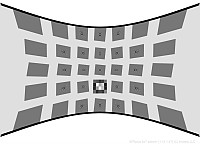
SFRplusの使い方 パート1 - SFRplusチャート:機能と撮影方法
斜めエッジテスト-利点-チャートの入手-フレーミング-バーなし-照明-距離-露出-ヒント-リンク
SFRplusの使い方 パート2- SFRplusの実行
ファイルの選択–セットアップウィンドウ– ROIの選択と分析領域–エッジIDファイル–実行の高速化–その他の設定ウィンドウ–二次読み出し–設定領域– ガンマ–チャートコントラスト比–自動モードウィンドウ–警告 – クリッピング–概要
斜めエッジの結果 パート3 - SFRplusエッジの結果
マルチROIサマリー–エッジとMTF –色収差–鮮鋭度/SQF –ヒストグラムとノイズ–画像、ジオメトリ、歪み、視野– 3Dプロット–レンズスタイルMTFプロット–エッジ粗さ–点像分布関数–サマリー– CSVおよびJSON出力
斜めエッジ処理の結果 パート4 - SFRとその他の結果(トーン、色、歪みなど)
トーンレスポンスとガンマ-画像、ジオメトリ、歪み、視野角-放射状歪み-概要とEXIFデータ-色分析-詳細なノイズプロット-概要-リンク
sfrplus_predistort_200W魚眼レンズ用の歪み補正済み特殊チャート - 自動車用バックカメラなど、多くの用途に対応
SFRplus、eSFR ISO、およびSFRregチャートが含まれています。歪み前のプレビュー
SFRplusの歪みと視野の測定
はじめに-歪み補正済みチャート- SFRplusとアルゴリズムの実行-結果-歪み補正表示-ラジアルプロット
SFRplusまたはeSFR ISOを使用してレンズをテストする方法
はじめに-テストチャート-写真-照明- SFRplus の実行- SFRplusの再チャート- SFRplus の設定-自動実行オプション-表示オプション-二次読み出し-結果の解釈-バッチ-チェックリスト-リンク

eSFRiso_enhanced_200W eSFR ISO – ISO 12233:2014 Edge SFRチャートの自動分析

eSFR ISO パート 1 の使用- ISO 12233:2014 E-SFR チャート: 特徴と撮影方法
斜めエッジテスト- ISO 12233:2014準拠-利点-チャートの入手-フレーミング-照明-距離-露出-ヒント-リンク
eSFR ISOの使用方法 パート2- eSFR ISOの実行
ファイルの選択–セットアップウィンドウ– ROIの選択と分析領域–エッジIDファイル–実行の高速化–その他の設定ウィンドウ–二次読み出し–設定領域– ガンマ–チャートコントラスト比–自動モードウィンドウ–警告 – クリッピング–概要
Slanted-edge results Part 3 - eSFR ISO edge results
Multi-ROI summary – Edge and MTF – Chromatic Aberration – Acutance/SQF – Histograms & noise – Image, Geometry, Distortion, FoV – 3D Plots – Lens style MTF plot – Edge roughness – Point Spread Function – Summary – CSV & JSON output
Slanted-edge results Part 4 - eSFR ISO other results (tones, color, wedge, etc.)
Tonal response and gamma - Image, Geometry, Distortion, FoV - Radial distortion - Summary and EXIF data - Color analysis - Detailed noise plot - Wedge aliasing & MTF - Multi-wedge plot - Summary - Links
 

SFRreg – Automated analysis of registration mark patterns

Optikos_Meridian_200W
Test at infinity focus with Long Range projection systems

Test imaging systems with ultrawide fisheye lenses (>180 degrees)

Test at very long camera-to-chart distances

Test at variable distances for Depth of Field.

Using SFRreg Part 1 - Registration mark patterns and how to photograph them
target projection - Chart arrays for fisheye lenses - Center Chart - Obtain and photograph chart -  Lighting - Distance - Exposure - Tips - Links
Using SFRreg Part 2 - Running SFRreg
Selecting files – Setup window – ROI selection & analysis area - Speeding up runs - More settings window – Secondary Readout – Settings area – Gamma – Chart contrast ratio – Auto mode window – Warnings - Clipping – Summary
Slanted-edge results Part 3  - SFRreg edge results
Slanted-edge results Part 4 - SFRreg other results (tones, color, distortion, etc.)
 

Checkerboard – Automated analysis of checkerboard patterns

checkerboard_ideal_framing-200WUsing Checkerboard Part 1 - Checkerboard patterns and how to photograph them
Obtain and photograph chart -  Lighting - Distance - Exposure - Tips - Links
Using Checkerboard Part 2 - Running Checkerboard
Selecting files – Setup window – ROI selection & analysis area - Edge ID Files - Speeding up runs - More settings window – Secondary Readout  – Settings area – Gamma – Chart contrast ratio – Auto mode window – Warnings - Clipping – Summary
Slanted-edge results Part 3 - Checkerboard edge results
Slanted-edge results Part 4 - Checkerboard other results (distortion, etc.)

Other (sharpness analyses – Log F-Contrast, Star, Random, Wedge
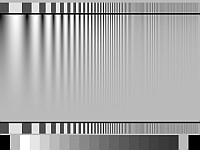
Using Rescharts - Analysis of resolution-related charts
Introduction - Getting started - The Rescharts window - resolution analyses - Slanted-edge SFR - SFRplus - Log frequency (simple) - Log frequency-contrast - Star - Wedge - Random/Dead Leaves - Focus Score
Log Frequency - Analysis of log frequency-varying charts
Introduction - Photographing, running - Color moire - Output - Pattern - MTF - Comparisons - Calculation details - Nyquist, aliasing
Log F-Contrast - Analysis of charts that vary in log frequency and contrast
Introduction - Creating, printing - Photographing, running - Output - Pattern - MTF - MTF/contrast contours - MTFnn
Sharpness and Texture Analysis using Log F‑Contrast from Imaging-Resource – comparing of several different cameras.
Star Chart - Analysis of the Siemens star chart
Introduction - Creating, photographing, running - Output - MTF - MTFnn, MTFnnP - MTF contours - Equations
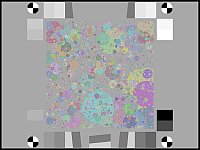
Random/Dead Leaves - Scale-invariant test charts (including Imatest Spilled Coins)
           for measuring texture sharpness
Introduction - Obtaining - Photographing - running - Automatic ROI detection - Output - MTF - MTFnn, MTFnnP - Power Spectral Density - Equations & Scale-invariance
Texture examples - More details of Imatest Spilled Coins texture sharpness measurements
Images used in Random/Dead Leaves - Spilled Coins vs. Slanted edge MTF
Dead Leaves measurement issue - Illustrates challenges posed by extreme signal processing
Random/Dead Leaves cross method  - Also called the Spilled Coins cross-correlation method.
Wedge Analysis - Analysis of logarithmic, hyperbolic, or trapezoidal wedge patterns with the Wedge and eSFR ISO modules
Introduction - Recommendations - Instructions - Results - Stability - Limitations & Comparisons - Calculation details - MTF/Nyquist & Aliasing - Logarithmic wedges 
Logarithmic wedges - A superior design with the same frequency distribution as Bode of standard frequency response plots.

Sharpness utilities & postprocessors

FocusField - Use batch results from a range of distances (or apertures) to measure Curvature of Field,
          Longitudinal (Axial) Chromatic Aberration, Depth of Field, and lens focal length.
Introduction – Examples – Prepare the test – Range and Increment – Acquire the images – Analyze – Run FocusField - FocusField Settings – Results – Curvature of Field – Depth of Field (DoF) – Longitudinal (Axial) CA – Lens focal length – Stereo (3D) compatibility 
Image Stabilization/Sharpness Compare - SFRplus postprocessor for analyzing (Optical) Image Stabilization
          and comparing sharpness of different images
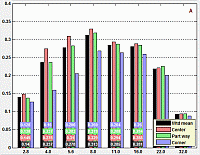
Introduction - Operation - Metrics - Results
Batchview - Postprocessor for viewing summaries of SFR, SFRplus, eSFR ISO, or Checkerboard results
Introduction - Preparation - Instructions
Find Sharpest Files - Find the sharpest files in a batch
Introduction - Operation - Details - Example - Plot 
MTF Compare - Compare MTFs of different cameras and lenses (now used infrequently)
Introduction - Instructions 

Tone, color, and spatial modules

Tone, Color, Noise, and Dynamic Range
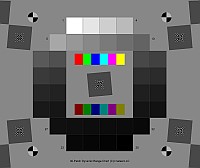
New Imatest Dynamic Range film chart with Dmax = base+3.4Using Color/Tone Interactive – Interactive analysis of color & grayscale test charts
Introduction - Getting started - Supported charts - Reference files - The Color/Tone Setup window - Displays and options
Using Color/Tone Auto (Multitest) - Fixed (batch-capable) analysis of color & grayscale test charts
Introduction - Getting started - Reference files - Results
Color/Tone/eSFR ISO Noise - including chroma, sensor (raw), and visual noise
Chroma noise - Imatest Dynamic range - Image sensor (raw) noise and Dynamic Range - Temporal noise – ISO 15739 & CPIQ Visual Noise – ISO 15739 SNR and Dynamic Range – f-stop noise & scene-referenced SNR 
Image Sensor Noise – measurement and modeling - using raw files for image sensor Dynamic Range and Simatest camera/ISP simulator
Experimental technique - Raw files – Black level offset - Noise model – Dynamic Range – EMVA 1288 – Closing the loop
Color/Tone Test Chart Reference & Guide - A guide to the color & monochrome charts used by Color/Tone.
Chart list – Layout – Numbering – Media/materials – Reference values and files - Color charts - ColorGray-42 - DR36+Color - Monochrome (B&W) charts  
Color/Tone Special Charts (OBSOLETE) - Additional charts, including ISO OECF and noise chats and circles arranged on a square  Instructions - Patch numbering - Examples
Color Correction Matrix (CCM) Calculate a matrix (usually 3x3) for correcting image colors (often from raw images)
Introduction - Math - Calculating in Color/Tone Setup - Saturation - Applying the matrix  1. in Color/Tone  2. in Image Processing  3. externally with program code
Contrast Detection Probability (CDP)  - Based on IEEE p2020 automotive image quality standard
Nonuniformity Correction in grayscale and color chart modules for Color/Tone Auto or Setup, Stepchart, and Colorcheck
Dynamic Range - a general introduction with links to Imatest modules that calculate it.
Contrast Resolution - A special transmissive chart for measuring the visibility of low contrast features in larger fields over a wide dynamic range. Analyzed with Color/Tone Interactive or Auto.
Gamutvision - A module for exploring ICC profiles and gamut mapping — illustrates how colors change when images are moved between files and devices.
Using Gamutvision instructions - Using Gamutvision Part 2: Displays - Gamutvision Table of Contents/Site Map 
Black point compensation demystified - Round trips for evaluating printer profile quality 
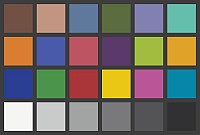
Using Colorcheck (legacy module; not recommended – use Color/Tone instead)
What Colorcheck does - Colorchecker colors - Photographing target - Running Colorcheck - Colorchecker reference sources - Output - Temporal noise - Auto White Balance (AWB) - Saving - Links
Colorcheck/Color/Tone Appendix - Color difference algorithms and reference formulas
Color difference formulas - Color ellipses (Delta-C ab, Delta-C 94, Delta-C 2000, etc.) - Color difference visualizer - Chroma correction (corr) - Algorithm - Grayscale and Exposure error (fix in 5.1+)
Using Stepchart (legacy module; not recommended– use Color/Tone instead)
Photographing the chart - Running Stepchart - Output - Temporal noise - Auto Exposure (AE) - Saving - Dynamic range - Algorithm
Stepchart: Special and ISO charts  Photographing chart - Instructions - Patch order
Dynamic Range (postprocessor) - Calculate Dynamic Range from several Color/Tone Auto or Stepchart images
Introduction - Operation - Results - Dynamic Range background (f-stop/scene-referenced noise)
Measuring test chart patches - with a Spectrophotometer and one of two software packages
Spectrophotometer- Babelcolor Patch Tool - SpectraShop 4 - Patch order

Spatial and Uniformity (Flat field) modules
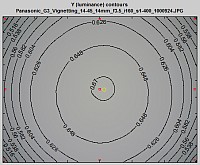
Light Falloff contour plotUsing Flatfield, Part 1 - Measure lens vignetting and image nonuniformity
Instructions - Results
Using Flatfield, Part 2 - Features in Imatest Master and IS (not in Studio)
Input dialog box - Hot and dead pixels - Color shading - Flatfield profiles - Grid plot - Polynomial fit -  Histograms - Noise detail - Spot detection
Using Flatfield-Interactive - Interactive measurement of vignetting and sensor nonuniformity (can be used with direct image acquisition)
Instructions - Results
Using Flatfield Blemish Detect - Measure visible sensor defects
The Human Visual System - Algorithm - Instructions - Input dialog - Results
Flatfield INI Reference
Flatfield statistics - Measure PRNU & DSNU with methods based on EMVA-1288: Separate fixed-pattern (spatial) noise from temporal noise by processing multiple identical images.
Lightbox Comparison Guide - Comparing lightbox brightness and uniformity
Testing flat screen displays - with Imatest Blemish Detect
Testing method - Defective pixels - Luminance nonuniformity - Color nonuniformity - Summary
Dot Pattern - Analysis of a grid of circular dots
Introduction - Setup - Results

Miscellaneous modules and utilities

Lighting Control - Set up and control DMX lights (Kino Flo) and Lightboxes; monitor lighting conditions with an Imatest Spectral Sensor.
Arbitrary Charts - Analyze a chart layout you have designed yourself. 
Introduction - Analyses & Output - INI settings - Chart Definition Files - Chart Definition Utility
Device Manager - Connect to cameras, adjust settings and acquire images into interactive modules.
Video: Dynamic measurements - These can also be performed with direct image acquisition.
Auto White Balance (AWB) - Auto Exposure (AE) - Auto Focus (AF)
Test Charts - Create test charts for high quality inkjet printers
Introduction - Bitmap patterns - SVG patterns - Options
SVG Test Charts - Scalable Vector Graphics charts for MTF and other measurements
Introduction: m x n squares - Squares and wedges - USAF 1951 chart - Operation - Options - Output figure - Printing
Using Screen Patterns - Monitor patterns for Light Falloff, SFR, Distortion, and monitor calibration
Introduction - Light Falloff - SFR - Distortion - Monitor calibration - Monitor gamma - Zone plate - SMPTE color bars - Slanted edges - Colorchecker-Stepchart - Squares (checkerboard)
Rename Files - using EXIF data
Starting - 1. Select folder - 2. Select files - 3. Rename options - 4. Preview - 5. Rename files
Image Processing - Simulate several image processing operations (degradations: blur and noise; enhancements: sharpen, bilateral filter, tone mapping, etc.) and observe their effects on appearance and measurements (MTF, SSIM, etc.).
Operation - Image processing blocks - Displays and analysis - Optical Character Recognition (OCR) - Face and People Detection
Image Statistics - Interactively observe image statistics: cross sections, means, noise, SNR, histograms, and frequency spectra.
Database - Collect and store important information on image capture conditions, device state, and EXIF metadata
Composite Chart - Create a synthetic test chart from several individual image files. Can be used for Photon Transfer Curves.
Educational Apps - Learning resource for image quality factors and measurements. 

Imatest IT – Industrial Testing (non-GUI)

Managing Supply Chain Image Quality with Imatest
Imatest IT Test Items & Modules
Imatest IT-EXE instructions - Running Imatest IT (Industrial Testing)-EXE
Introduction - Installation - Step 1: Capture Images - Step 2: Configure INI File - Step 3: Call Imatest IT Modules - Step 4: Process Results - Error Handling - Sample Code - Advanced Topics - Troubleshooting
Imatest IT-C instructions - Running Imatest IT (Industrial Testing)-C
Introduction - Installation - Step 1: Capture Images - Step 2: Configure INI File - Step 3: Call Imatest IT Modules - Step 4: Process Results - Error Handling - Sample Code - Advanced Topics - Troubleshooting
Imatest IT-C++ instructions - Running Imatest IT (Industrial Testing)-C++
Introduction - Installation - Step 1: Capture Images - Step 2: Configure INI File - Step 3: Call Imatest IT Modules - Step 4: Process Results - Error Handling - Sample Code - Advanced Topics - Troubleshooting
Imatest IT-Python instructions - Running Imatest IT (Industrial Testing)-Python
Introduction - Installation - Step 1: Capture Images - Step 2: Configure INI File - Step 3: Call Imatest IT Modules - Step 4: Process Results - Error Handling - Sample Code - Advanced Topics - Troubleshooting
Imatest IT-.NET (C#) instructions - Running Imatest IT (Industrial Testing)-.NET (C#)
Introduction - Installation - Step 1: Capture Images - Step 2: Configure INI File - Step 3: Call Imatest IT Modules - Step 4: Process Results - Error Handling - Sample Code - Advanced Topics - Troubleshooting
Imatest IT-.NET (Visual Basic) instructions - Running Imatest IT (Industrial Testing)-.NET (Visual Basic)
Introduction - Installation - Step 1: Capture Images - Step 2: Configure INI File - Step 3: Call Imatest IT Modules - Step 4: Process Results - Error Handling - Sample Code - Advanced Topics - Troubleshooting
Imatest IT Parallel (IT-P) - Accelerating Imatest IT by performing tests in parallel
Imatest INI file reference - Reference to INI files for IT/EXE and IT/DLL users (sections used in several modules)
INI file structure - INI File Monitor - [api] (for Imatest IT) - [dcraw/LibRaw] - [rdraw] (Generalized Read Raw) - Secondary Readouts - Miscellaneous
SFR INI file reference | SFRplus INI file reference | eSFR ISO INI file reference | SFRreg INI file reference | Checkerboard INI file reference
Direct Read Mode - Pass image data directly into Imatest IT, without writing to a file on disk
Implementing Pass/Fail - Setting up Pass/Fail criteria and Pass/Fail Reference. For Imatest IT and GUI versions.
Pass/Fail Monitor - Realtime display and update of pass/fail results (useful with Imatest IT)
Operator Console - User interface for production environments
Imatest IT Knowledge Base - Articles about Imatest IT

Appendix

FAQ - Frequently Asked Questions
Cross-reference tables - Tables to help you navigate Imatest
Suppliers - Image quality factors - Modules - Test charts - Test images
Version comparison: Studio vs. Master - Which is right for you?
Troubleshooting - What to do when Imatest doesn't work
Installation problems - Problems after install - Missing DLLs - Runtime problems - Corrupted INI file - Command (DOS) window - A module has stopped working - Diagnostics runs - Path conflicts
Imatest Change Log - Imatest release history
Default INI Folder - Location on your computer of resource files used by Imatest
INI file reference
License - The Imatest End User License Agreement (EULA)
Glosario en Espanol

Index of the Table of Contents
Image quality — Sharpness — Other IQ factors — IQ Utilities —  Getting started — Imatest Instructions – general — 

Troubleshooting —  Knowledge Base highlights — Slanted-Edge sharpness modules — Other sharpness modules —
Tone, Color, Noise & Dynamic Range modules — Spatial & Uniformity modules —
Miscellaneous modules and utilities
— Industrial Testing edition — Appendix